
n8n Templates: Where to Find Them and How to Use Them (Step-by-Step Guide)
Automation is no longer optional — it’s essential for modern businesses. Whether you run a startup, agency, e-commerce store, or small company, n8n can automate repetitive tasks and save hours every week.
n8n templates how to use
The best part?
You don’t need to build workflows from scratch.
You can use ready-made n8n templates.
In this guide, you’ll learn:
Where to find n8n templates
How to import and use them
How to customize them
Why templates save time and money
What Are n8n Templates?
n8n templates are pre-built automation workflows (usually in JSON format) that solve specific business problems.
Instead of designing complex workflows node by node, you can import a template and configure it within minutes.
Examples of n8n templates:
WooCommerce order → Email notification
Lead form → CRM entry → Follow-up email
Google Sheets → Slack alert
LinkedIn auto-post automation
AI blog content generation
Telegram or WhatsApp business alerts
Templates help you move faster and reduce setup time.
Where to Find n8n Templates
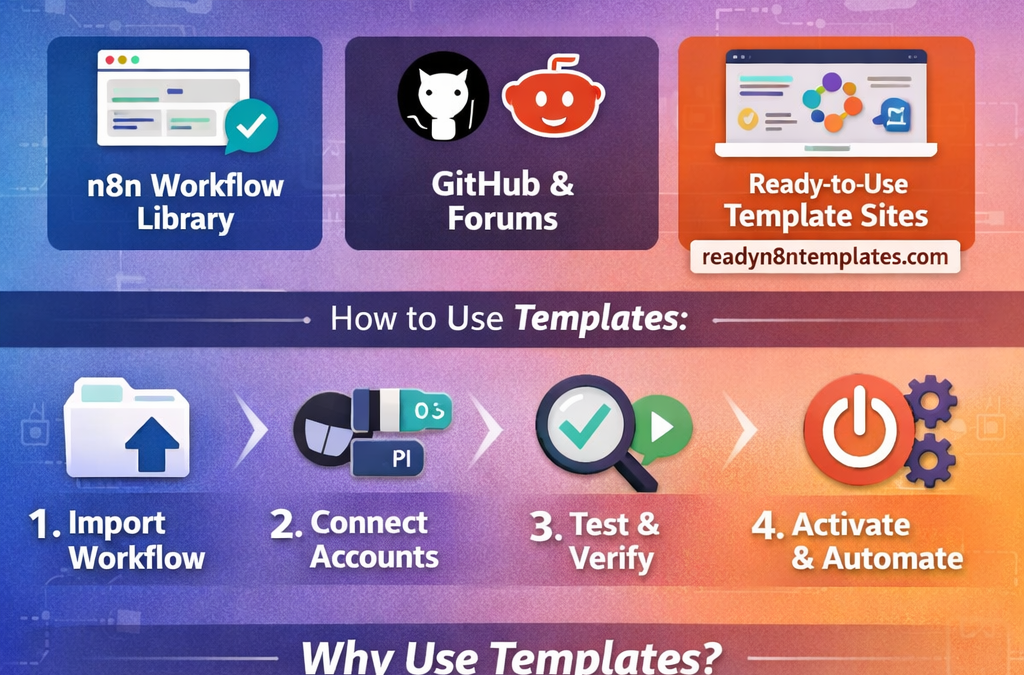
1) Official n8n Workflow Library
The official n8n website provides community-built workflows and examples.
Pros:
Free access
Good for learning
Community-supported
Cons:
May require editing
Not always business-ready
Limited advanced use cases
2) GitHub & Automation Communities
Many developers share workflows on:
GitHub
Automation forums
Pros:
Large variety
Free resources
Cons:
Often incomplete
Documentation may be missing
Requires technical knowledge
If you are experienced, this can work. If you are a beginner, setup can become time-consuming.
3) Ready-to-Use Professional Template Websites (Recommended)
If you want fast, structured, and business-focused automation, using ready-made template collections is the easiest option.
On www.readyn8ntemplates.com
, you can find:
5,000+ ready-to-use n8n templates
E-commerce automation workflows
CRM integrations
AI-powered automations
Social media automation
Lead generation systems
Small business automation packs
These are designed to be practical and ready for real business use.
How to Use n8n Templates (Step-by-Step)
Step 1: Download the Template
You will receive a JSON workflow file.
Step 2: Open Your n8n Dashboard
Log in to:
n8n Cloud
or
Your self-hosted n8n instance
Step 3: Import the Workflow
Inside n8n:
Go to Workflows
Click Import
Upload the JSON file
Save the workflow
Your template is now inside your dashboard.
Step 4: Connect Your Credentials
Most templates require API connections such as:
Google OAuth
Telegram bot token
WooCommerce API
OpenAI API
SMTP / Email service
Open each node and:
Add your credentials
Test the connection
Verify the data flow
Step 5: Test Before Activation (Very Important)
Before activating:
Run the workflow manually
Check data mapping
Verify webhook URLs
Confirm API responses
Review error handling
Testing prevents unexpected issues in production.
Step 6: Activate the Workflow
Once everything works correctly:
Click Activate.
Your automation is now live 🎉
Why Use Templates Instead of Building From Scratch?
1) Save Time
Building a workflow from zero can take hours or even days.
Templates reduce setup time to minutes.
2) Save Money
Hiring an automation expert can cost hundreds of dollars per workflow.
Templates offer a cost-effective solution.
3) Learn Faster
By analyzing templates, you can understand:
Node structure
Triggers and actions
Conditions and logic
Error handling best practices
It’s one of the fastest ways to master n8n.
Best n8n Template Categories for Businesses
High-demand automation types include:
Lead capture & follow-up automation
CRM synchronization
E-commerce order notifications
AI content generation
Social media auto-posting
Customer support workflows
Daily reporting automation
Invoice generation systems
You can organize these categories clearly on www.readyn8ntemplates.com
to help users find solutions quickly.
Common Mistakes to Avoid
Avoid these errors:
❌ Activating workflows without testing
❌ Forgetting to configure credentials
❌ Ignoring webhook setup
❌ Not handling API limits
❌ Skipping error nodes
Best practice:
Always test first
Add fallback alerts
Monitor execution history
Final Thoughts
n8n templates make automation simple, scalable, and affordable.
Instead of building complex systems from scratch, you can:
Import → Connect → Test → Activate
If you want ready-to-use business automation workflows, explore professional collections at:
Get 5,000+ ready-to-use n8n templates and start automating smarter.