
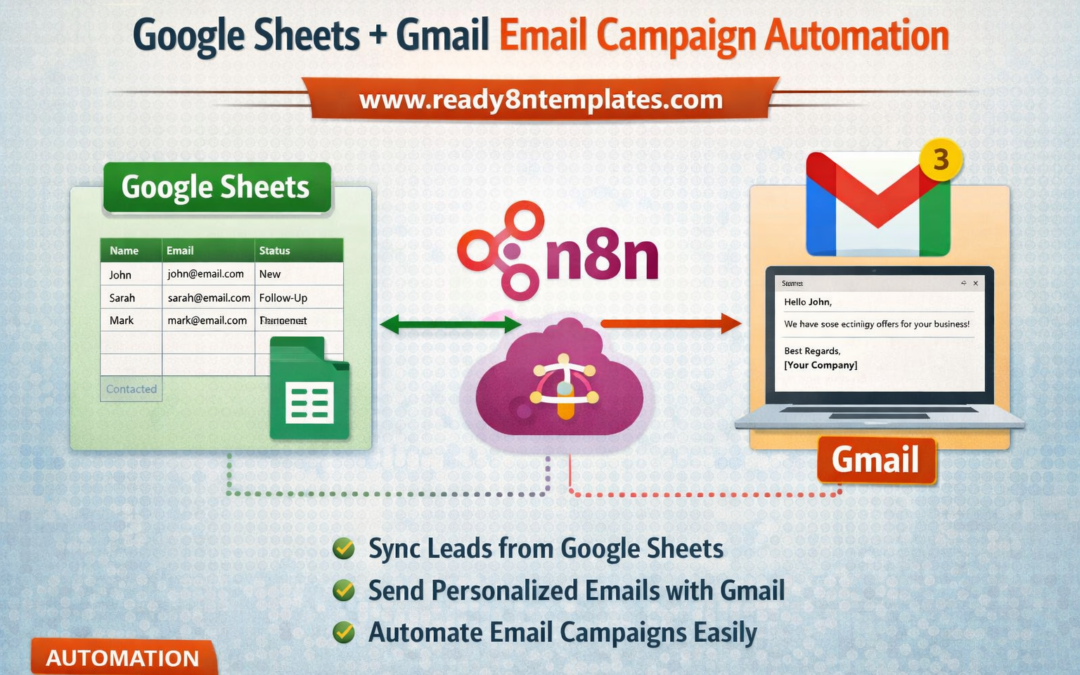
Google Sheets + Gmail Email Campaign Automation in n8n
n8n Email Campaign Automation
Email marketing is still one of the most effective ways to connect with customers, promote offers, and grow a business. But sending emails manually, updating lead lists, and tracking campaign activity can take a lot of time. That is why many businesses now use n8n automation to simplify their email workflows. One of the most useful setups is Google Sheets + Gmail email campaign automation in n8n.
With this automation, Google Sheets can work as your lead database while Gmail handles email sending. Then n8n connects both tools and automates the entire process. Instead of copying email addresses one by one or sending follow-ups manually, you can build a workflow that reads contact data from Google Sheets, sends personalized emails through Gmail, and keeps your campaign organized automatically.
This type of workflow is helpful for small businesses, freelancers, marketers, agencies, and startups. For example, you can store names, email addresses, business types, campaign status, and follow-up notes inside a Google Sheet. Then n8n can watch that sheet, detect new rows or updated information, and trigger Gmail to send a personalized email based on your selected rules. This makes your outreach faster, more accurate, and easier to manage.
One of the biggest advantages of Google Sheets + Gmail automation in n8n is flexibility. You can create custom conditions for different campaigns. You may want to send welcome emails to new leads, promotional emails to selected customers, or reminder emails for people who did not respond earlier. n8n makes it possible to build these flows without heavy coding, which is why it has become popular among no-code and low-code users.
Another benefit is personalization. A good email campaign should not feel robotic. With n8n, you can pull dynamic data from Google Sheets such as first name, company name, product interest, or location, and insert those details into each Gmail message. This helps create more human and relevant communication, which can improve open rates and response rates.
Automation also reduces mistakes. When businesses send emails manually, they may forget follow-ups, skip contacts, or send the wrong message. Using an n8n workflow can reduce these errors by following a clear process every time. You can also update your Google Sheet automatically after each email is sent, marking rows as completed, pending, or failed. This gives you a simple way to track campaign progress in one place.
For growing businesses, this workflow saves time and improves consistency. Instead of spending hours managing spreadsheets and email drafts, teams can focus more on strategy, customer relationships, and conversion. That is why many people search for ready-made n8n templates that help them launch these automations faster.
At www.readyn8ntemplates.com
, you can explore ready-to-use n8n workflow ideas and automation templates for business growth. If you want to build smarter email systems, automate repetitive tasks, and connect tools like Google Sheets and Gmail more efficiently, www.readyn8ntemplates.com
is a useful resource for practical n8n solutions.
In today’s digital business world, automation is no longer optional for many teams. A smart workflow like Google Sheets + Gmail email campaign automation in n8n can help improve productivity, organize outreach, and support better results from your email campaigns. It is a simple but powerful example of how n8n can turn everyday tools into a complete automated marketing system.