
How to Learn n8n (Beginner Roadmap): From Zero to Building Real Automations
Step 1: Learn the n8n Basics (First 1–2 Days)
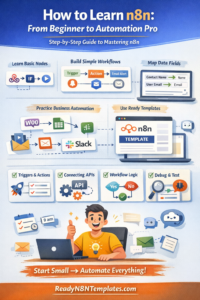
Start by understanding these core concepts:
✅ 1) Nodes
Each block is a node (Webhook, Gmail, Google Sheets, IF, Set, HTTP Request, etc.)
✅ 2) Triggers
A trigger starts your automation:
Webhook
Schedule (every hour/day)
App events (new email, new row, new order)
✅ 3) Actions
Actions are tasks n8n performs:
Send email
Post message to Telegram/Slack
Update spreadsheet
Create CRM contact
Call an API
✅ 4) Data & JSON
Don’t fear JSON. In n8n, you mainly need to know:
Each node outputs data
Next node uses that data
You map fields using Expressions
Step 2: Build 3 Simple Workflows (Best Way to Learn)
The fastest way to learn n8n is by doing. Start with these beginner workflows:
Workflow #1: Webhook → Email Notification
Someone submits a form
You instantly get an email with their details
Workflow #2: Schedule → Google Sheets Report
Every day at 9 AM
n8n updates a Google Sheet or sends a report
Workflow #3: Gmail → Slack/Telegram Alert
New email with a keyword (example: “Order”)
Send alert to Slack/Telegram
These 3 workflows teach you: triggers, actions, credentials, and field mapping.
Step 3: Learn the Most Important Nodes (Master These First)
If you master these nodes, you’ll be able to build 80% of workflows:
Webhook (receive data from anywhere)
Schedule Trigger (run automations on time)
Set (clean + format data)
IF (filter and create logic)
HTTP Request (connect any API)
Merge (combine data streams)
Google Sheets / Gmail / Telegram / Slack (common business actions)
Step 4: Practice Data Mapping (This Makes You a Pro)
Beginners often struggle with mapping fields. Here’s the easy way:
✅ Always open Node Output (right panel)
✅ Identify the exact field names (email, name, phone)
✅ Use Add Expression to map correctly
Tip: Use a Set node to rename messy fields into clean fields like:
name
phone
message
source
This makes every next step easier.
Step 5: Learn Credentials & Connections (Avoid Common Errors)
Most node errors happen due to credentials.
To avoid issues:
Connect credentials one-by-one
Use the correct account (work email vs personal email)
Test each node after connecting
Save your credentials properly
Step 6: Move to Real Business Automation (Intermediate Level)
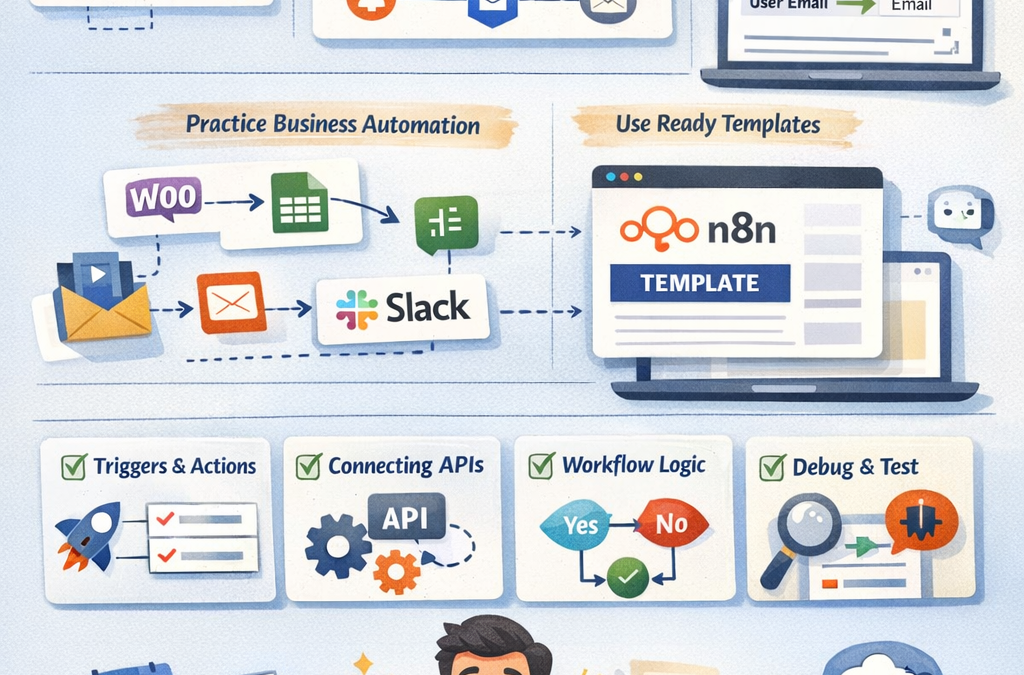
Once you’re comfortable with basics, build workflows like:
✅ Lead collection → Google Sheets → Email + Auto reply
✅ WooCommerce order → Invoice email → Slack alert
✅ Stripe payment → update database → customer onboarding email
✅ Social media content → auto post → save analytics
✅ AI workflow (ChatGPT) → generate content → publish/save
Step 7: Use Templates to Learn Faster (Smart Shortcut)
A powerful way to learn n8n is by importing ready workflows and studying them.
Templates help you:
Understand real workflow structure
See how nodes connect
Learn data mapping and logic
Save hours of building from scratch
At ReadyN8NTemplates.com, you can explore ready-to-use templates and learn by editing them for your own needs.
Final Words: A Simple Weekly Learning Plan
If you want a simple plan:
Week 1: Basics + 3 beginner workflows
Week 2: IF logic + data mapping + Set node mastery
Week 3: APIs (HTTP Request) + advanced workflows
Week 4: Build 1 real automation for your business