
n8n Cloud vs Self-Hosted: Pros, Cons, and Costs (2026 Guide)
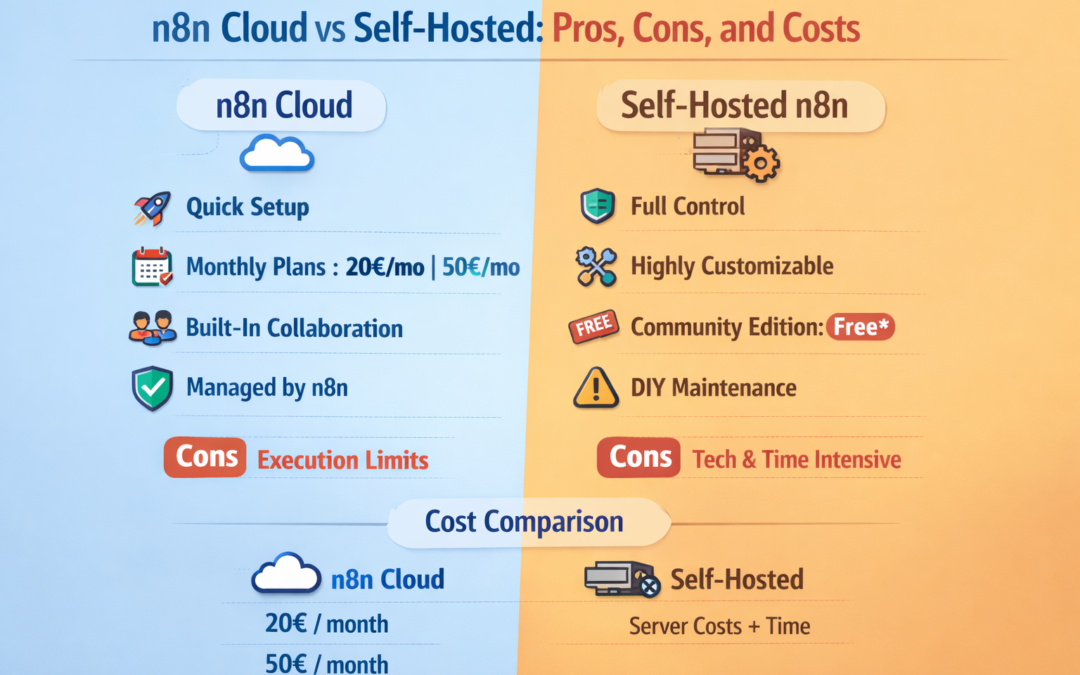
Choosing between n8n Cloud and self-hosting n8n comes down to one core tradeoff:
n8n Cloud vs Self-Hosted: Pros, Cons, and Costs (2026 Guide)
Cloud = fastest setup + least maintenance
Self-hosted = most control + most responsibility
Below is a practical comparison (including real pricing and the “hidden costs” people forget).
Quick overview: What’s the difference?
n8n Cloud
n8n Cloud is the fully managed version hosted by n8n, with pricing based on monthly workflow executions (not steps).
Self-Hosted n8n
Self-hosting means you run n8n on your own server (VPS, Docker, Kubernetes, etc.). The Community Edition is free, but running it well requires technical knowledge (servers, security, scaling).
Pricing (official n8n plans)
n8n Cloud pricing is execution-based, and all plans include unlimited users & workflows.
Cloud plans (annual billing shown on the pricing page):
Starter: 20€ / month for 2.5K executions
Pro: 50€ / month for 10K executions
Self-hosted paid license (for Business features):
Business (self-hosted): 667€ / month for 40K executions
Enterprise: custom
What is an “execution”?
n8n defines an execution as one full run of a workflow, no matter how many steps it contains.
That’s why n8n costs can be more predictable than tools that charge per step/task.
Pros and cons: n8n Cloud
✅ Pros
Fastest start: no server setup, upgrades, or patching (you just build automations).
Predictable execution-based billing (one workflow run = one execution).
Built-in collaboration structure via shared projects on paid cloud plans (Starter includes 1 shared project, Pro includes 3).
Higher “out of the box” reliability because it’s hosted/managed by n8n.
❌ Cons
Execution limits: you pay and scale based on monthly executions.
Lower control over infrastructure, network policies, and ultra-custom deployments (typical cloud tradeoff).
Some capabilities are explicitly marked as “available in self-hosted” (e.g., custom nodes/CLI/bash scripts depending on configuration/plan).
Pros and cons: Self-hosted n8n
✅ Pros
Full control (data locality, networking, compliance patterns, custom deployment).
Customizability: easier to tailor runtime, storage, and infrastructure to your needs.
Community Edition is free to run, and includes most core features.
❌ Cons
You must handle: servers, containers, security, scaling, configuration.
You own reliability: backups, monitoring, upgrades, incident response.
License matters: n8n’s Sustainable Use License allows free use/modification mainly for internal business purposes (and restricts providing it as a paid service to others unless you have the right agreement).
Feature differences that matter in real life
The Community Edition does not include several “enterprise/team” features like:
Projects
Environments (dev/staging/prod)
SSO (SAML/LDAP)
Git-based version control
External secrets / log streaming / etc.