
n8n Terminology Explained: Nodes, Triggers, and Executions (Beginner-Friendly Guide)
If you’re new to automation, tools like n8n might look confusing at first.
You see words like:
Nodes, Triggers, and Executions (Beginner-Friendly Guide)
Nodes
Triggers
Executions
Workflows
And you think… what does all this actually mean?
Don’t worry. In this guide, we’ll break down the most important n8n terminology in simple language so you can start building automations with confidence.
👉 If you want ready-to-use workflows instead of building from scratch, explore 5,000+ prebuilt automations at www.readyn8ntemplates.com
1️⃣ What is a Node in n8n?
A Node is a single step inside your automation workflow.
Think of it like a small action block.
Each node performs one task, such as:
Sending an email
Fetching data from Google Sheets
Posting to Slack
Calling an API
Saving data to a database
Simple Example
If your workflow sends a welcome email when someone fills out a form:
Form Trigger → 1 node
Email Send → 1 node
Each step is a node.
💡 In short:
Node = One action inside your automation
2️⃣ What is a Trigger in n8n?
A Trigger is what starts your workflow.
Without a trigger, nothing runs.
It’s the “starting button” of your automation.
Common Trigger Examples
Webhook Trigger → When someone submits a form
Cron Trigger → Run every day at 9 AM
Email Trigger → When a new email arrives
App Trigger → When a new order is created
Real Business Example
Imagine you run an online store.
When a new order is placed:
👉 Order Created (Trigger)
👉 Send confirmation email (Node)
👉 Add customer to CRM (Node)
👉 Notify team on Slack (Node)
Everything starts because of the trigger.
💡 In short:
Trigger = The event that starts the workflow
3️⃣ What is an Execution in n8n?
An Execution is one full run of your workflow.
Every time a trigger fires and the workflow runs — that counts as one execution.
Example
If your workflow runs:
10 times today
50 times tomorrow
That means you had:
10 executions today
50 executions tomorrow
Executions help you:
Debug errors
See workflow logs
Track performance
Monitor automation activity
💡 In short:
Execution = One complete run of your automation
4️⃣ How They Work Together
Let’s connect everything clearly:
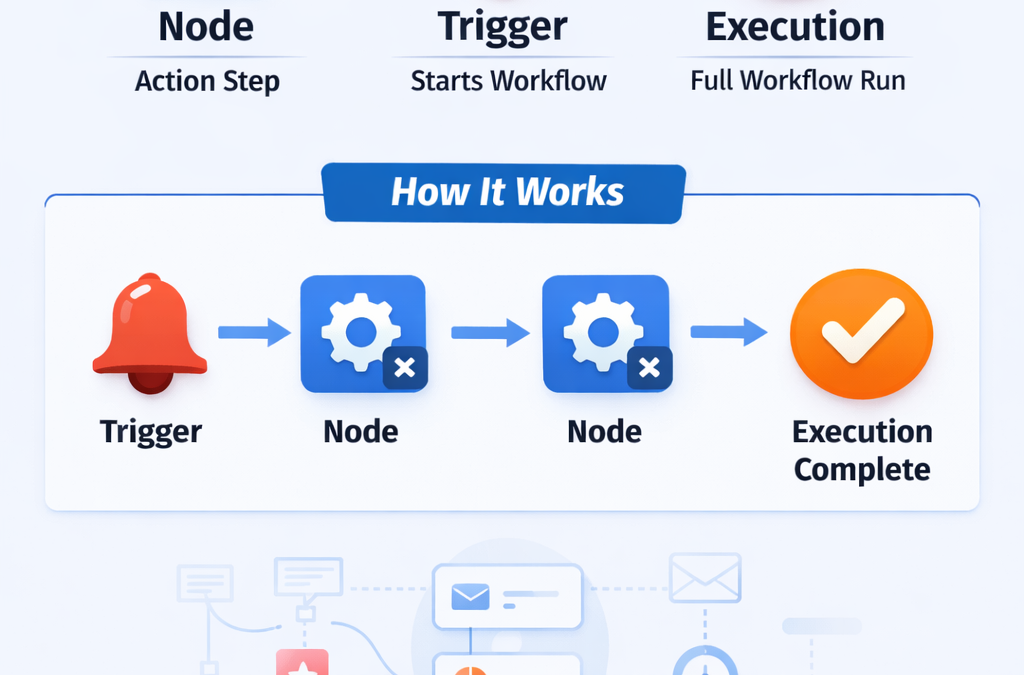
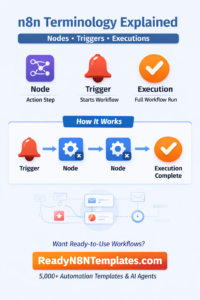
A Trigger starts the workflow
Nodes perform actions step-by-step
The full run is called an Execution
Visual Example
Trigger → Node → Node → Node → Execution Complete
It’s that simple.
5️⃣ Why Understanding These Terms Matters
If you understand:
What a node does
What a trigger is
What an execution means
You can:
✅ Build automations confidently
✅ Debug errors faster
✅ Control workflow costs
✅ Scale business processes
✅ Reduce manual work
And if you don’t want to build from scratch…
You can download ready-made workflows from:
👉 www.readyn8ntemplates.com
Get 5,000+ ready-to-use n8n templates + AI agents
Copy, paste, and start automating instantly.
6️⃣ Quick Summary Table
Term Meaning
Node A single action step in a workflow
Trigger The event that starts the workflow
Execution One full run of the workflow
Final Thoughts
n8n is powerful — but only when you understand the basics.
Once you master:
Nodes
Triggers
Executions
You’re ready to build real business automation systems.
If you want to skip the learning curve and deploy workflows instantly, explore professional templates at:
Start your automation journey today.