
n8n pricing explained
What Is n8n?
n8n Pricing Explained
n8n is a powerful workflow automation tool that lets you connect apps like:
Gmail
Google Sheets
Slack
Stripe
Webhooks
Databases
AI tools (OpenAI, etc.)
It works like Zapier — but with much more flexibility and control.
n8n Pricing Options
n8n offers two main ways to use the platform:
1️⃣ n8n Cloud (Hosted by n8n)
This is the easiest option.
You don’t manage servers. Everything is hosted for you.
Pros:
✔ No technical setup
✔ Fast start
✔ Automatic updates
✔ Good for beginners
Cons:
✖ Monthly subscription cost
✖ Execution limits based on plan
✖ Can get expensive at scale
Cloud pricing depends mainly on:
Number of workflow executions
Number of active workflows
Team features
If your automation grows large (thousands of executions per day), costs increase.
2️⃣ Self-Hosted n8n (Install on Your Own Server)
This is where you can save serious money.
You install n8n on:
VPS
Docker
Windows
Mac
Cloud server (DigitalOcean, AWS, etc.)
Pros:
✔ Full control
✔ Unlimited workflows
✔ No execution limits
✔ Much cheaper long term
Cons:
✖ You manage hosting
✖ You handle updates
✖ Slightly technical setup
Cloud vs Self-Hosted: Which Is Cheaper?
Feature n8n Cloud Self-Hosted
Monthly Cost Fixed plan VPS cost only
Workflow Limits Yes No
Execution Limits Yes No
Setup Difficulty Easy Medium
Best For Beginners Scaling businesses
💡 If you run automation daily for business, self-hosted saves much more money long-term.
How to Save Money Using n8n
Here are smart ways to reduce your automation costs:
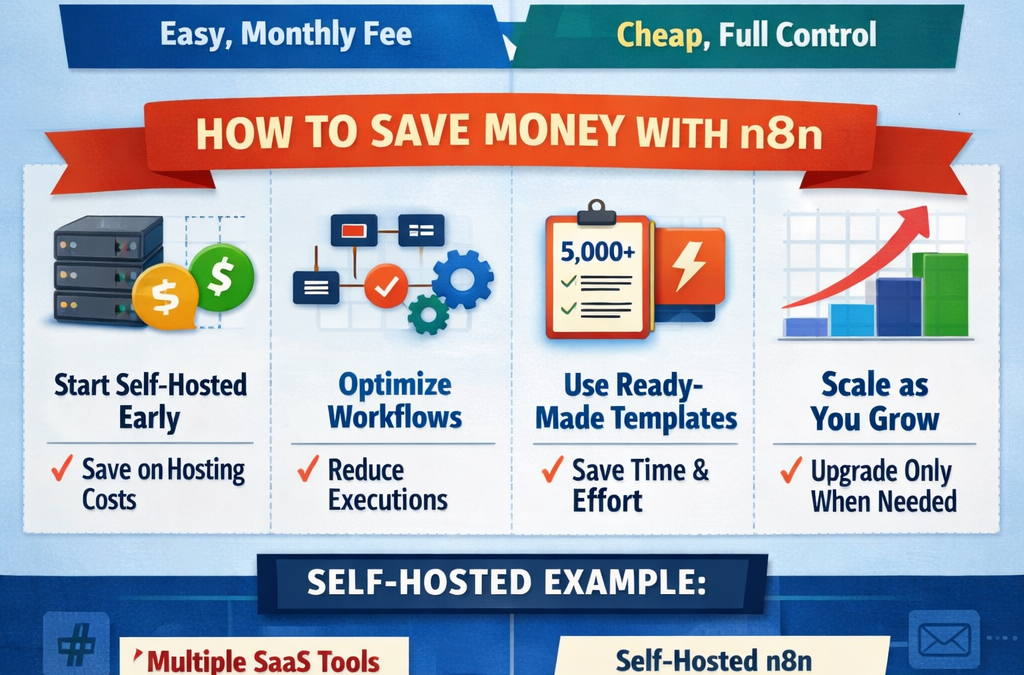
1️⃣ Start Self-Hosted Early
Instead of upgrading Cloud plans repeatedly, use a small VPS.
A basic VPS can handle:
Email automation
CRM sync
Order processing
AI content workflows
For small businesses, this is often enough.
2️⃣ Optimize Workflow Executions
Many people waste executions.
Tips:
Avoid unnecessary loops
Use conditional nodes properly
Combine workflows when possible
Schedule smartly instead of triggering too often
Less execution = lower load = cheaper hosting.
3️⃣ Use Ready-Made Templates
Instead of building everything from scratch:
👉 Use pre-built automation templates.
This saves:
Time
Developer cost
Mistakes
Debugging hours
At www.readyn8ntemplates.com
, you can get:
✔ 5,000+ ready-to-use n8n workflows
✔ Business automation packs
✔ Marketing automation
✔ AI integration workflows
✔ Lead generation automation
You save both time and money.
4️⃣ Scale Hosting Only When Needed
Start small:
Small VPS
Low RAM
Upgrade only when:
Execution load increases
CPU usage spikes
Workflows become heavy
Don’t overpay for hosting in the beginning.
5️⃣ Use One Instance for Multiple Automations
Instead of creating multiple automation tools:
Replace Zapier
Replace Make.com
Replace simple custom scripts
n8n can handle everything in one system.
One tool = lower overall SaaS cost.
Real Example: Monthly Cost Comparison
Let’s say you run:
Email automation
Order notifications
AI content automation
CRM sync
Social media auto-posting
Using Multiple SaaS Tools:
$20 – $50 per tool
$100+ per month total
Using Self-Hosted n8n:
VPS cost only
Often far cheaper long-term
The difference becomes huge after 6–12 months.
Who Should Use Cloud?
Use n8n Cloud if:
You’re testing automation
You don’t want server management
You’re just starting
Who Should Self-Host?
Self-host if:
You run serious automation
You want unlimited execution
You want full control
You want to reduce monthly SaaS expenses
Final Thoughts
n8n pricing depends on your usage.
For beginners → Cloud is simple.
For businesses → Self-hosted is powerful and cheaper long-term.
If you want to launch automation fast without wasting time building from scratch, visit:
👉 www.readyn8ntemplates.com
Get 5,000+ ready-to-use workflows and start automating immediately.
Want More Automation Guides?
Explore more tutorials, templates, and business-ready automation packs at:
🔹 www.readyn8ntemplates.com
🔹 Smart workflows
🔹 Business-ready automation
🔹 AI-powered systems
Start smart. Automate smarter. Save money.