
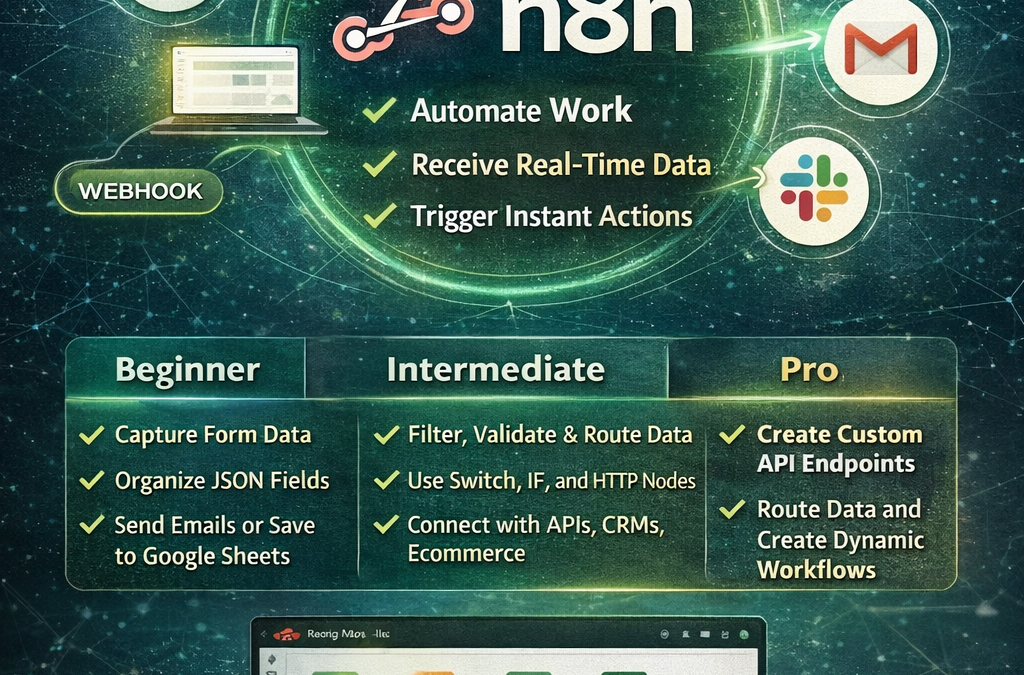
Webhooks in n8n: Beginner to Pro Guide
Webhooks in n8n
Webhooks are one of the most powerful features in n8n. They help you connect apps, receive real-time data, and automate tasks without doing everything manually. For beginners, webhooks may look technical at first. However, once you understand the basic idea, they become one of the easiest and most useful tools in workflow automation.
At www.readyn8ntemplates.com
, we help users build faster with ready-to-use n8n workflow templates. Whether you are just starting with automation or already building advanced systems, learning webhooks in n8n can take your workflows to the next level.
What Is a Webhook in n8n?
A webhook is a special URL that waits for data. When another app, form, website, or service sends data to that URL, n8n receives it instantly and starts the workflow automatically.
In simple words, a webhook is like a digital trigger point. Instead of checking every few minutes for new information, your workflow starts the moment data arrives.
For example, a webhook in n8n can:
Receive new form submissions
Capture Shopify or WooCommerce order data
Accept payment notifications
Send CRM leads into your workflow
Trigger email, Slack, Google Sheets, or database actions instantly
This makes n8n webhooks perfect for real-time automation.
Why Webhooks Are Important in n8n
Webhooks are important because they save time and make workflows faster. Instead of using scheduled checks again and again, you can let n8n react immediately when something happens.
Main benefits of using webhooks in n8n:
Real-time workflow triggering
Faster automation response
Less unnecessary polling
Better integration with external apps
More flexible automation design
Useful for forms, APIs, ecommerce, CRM, and notifications
This is why webhooks are often the first thing serious n8n users learn after basic workflows.
How Webhooks Work in n8n
The process is simple:
You create a workflow with a Webhook node
n8n gives you a webhook URL
Another app sends data to that URL
n8n receives the data
The workflow continues with the next actions
For example, someone fills out a contact form. The form tool sends the submitted data to your n8n webhook. Then n8n can automatically save the lead to Google Sheets, send a welcome email, notify your sales team, and create a CRM record.
That is the true power of webhooks in n8n.
Beginner Level: First Steps with n8n Webhooks
If you are new to n8n, start simple. Create a workflow that receives data from a webhook and sends it somewhere else.
A beginner-friendly example could be:
Webhook receives form data
Set node organizes the fields
Google Sheets node stores the data
Gmail node sends a thank-you email
This type of workflow helps you understand how incoming data moves through n8n.
What beginners should focus on:
Understanding the Webhook node
Learning GET vs POST requests
Seeing how data appears in JSON format
Testing the webhook correctly
Passing data to the next nodes
Once you understand these basics, building more advanced workflows becomes much easier.
Intermediate Level: Making Webhooks More Useful
After learning the basics, you can start improving your workflows.
At this stage, webhooks are not only about receiving data. They are about controlling, filtering, and transforming that data.
You can:
Validate incoming fields
Filter unwanted requests
Route data based on conditions
Use Switch or IF nodes
Send data to multiple apps
Clean or format the response before saving it
For example, you might build a webhook workflow that receives online order data, checks the order value, sends high-value orders to Slack, saves all orders to Airtable, and emails the customer.
Now your workflow is becoming smarter, not just automated.
Pro Level: Advanced Webhook Automation in n8n
Professional n8n users often use webhooks as the entry point for bigger automation systems. At this level, webhooks can handle advanced logic, authentication, dynamic routing, custom API responses, and multi-step business automation.
Advanced use cases include:
Creating custom API endpoints with n8n
Receiving data from SaaS platforms in real time
Building lead routing systems
Automating client onboarding
Processing ecommerce events
Creating AI-powered webhook workflows
Sending custom webhook responses back to the source system
For example, a pro workflow may receive a webhook from a website, analyze the text with AI, classify the request, store it in a database, notify a team member, and return a custom success response instantly.
This is where n8n becomes much more than a simple automation tool.
Common Webhook Use Cases in n8n
Webhooks are useful in many industries and business tasks.
Popular webhook workflow ideas:
Contact form to Google Sheets
Lead form to CRM and email
WooCommerce new order automation
Payment success notification workflow
Slack alert from website activity
CRM update when user submits a request
AI chatbot trigger from website input
Support ticket automation
Booking form automation
Internal dashboard update workflow
These are practical examples that save time and reduce manual work.
Tips for Using Webhooks in n8n Better
To use webhooks more effectively, keep your workflows clean and well-structured.
Good practices:
Name your webhook workflows clearly
Test with real sample data
Validate fields before processing
Keep your workflow logic organized
Use error handling where possible
Protect sensitive webhook endpoints
Document what each workflow does
Monitor failed executions regularly
A clean webhook workflow is easier to manage, update, and scale later.
Common Mistakes Beginners Make
Many new users get confused with webhooks because of small mistakes, not because webhooks are too hard.
Common mistakes include:
Using the wrong request method
Forgetting to activate the workflow
Not sending the right data format
Missing required fields
Ignoring webhook test mode vs production mode
Not checking execution logs
Building too much complexity too early
The best way to learn is to start simple and build step by step.
Why Learn Webhooks from the Beginning
Learning webhooks early gives you a big advantage in n8n. Many powerful workflows depend on real-time triggers, and webhooks are often the easiest way to receive outside data.
Once you understand how webhook data enters a workflow, you can automate many business tasks more confidently. This includes sales, support, ecommerce, marketing, operations, analytics, and client communication.
That is why webhooks are one of the best skills to learn in n8n from the beginning.
Build Faster with Ready-to-Use n8n Templates
At www.readyn8ntemplates.com
, we provide ready-to-use n8n workflow templates that help you save time and launch automations faster. Instead of building every workflow from zero, you can start with templates designed for real business use.
Whether you need webhook automations for forms, ecommerce, CRM, email marketing, AI agents, or lead generation, ready-made n8n templates can help you learn faster and work smarter.
Final Thoughts
Webhooks in n8n are simple to start with, but powerful enough for advanced automation systems. From beginner workflows to pro-level business automation, webhooks help connect your tools, trigger actions instantly, and create faster, smarter processes.