
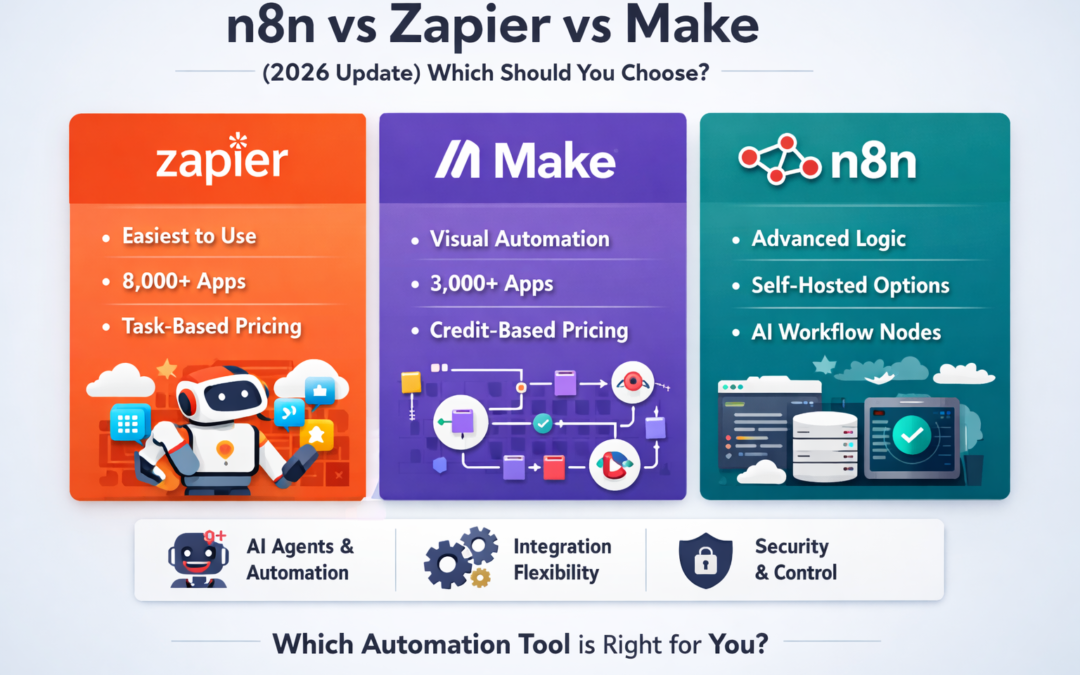
n8n vs Zapier vs Make (2026 Update): Which one should you choose?
Automation isn’t just “nice to have” anymore—it’s how teams ship faster, sell more, and reduce repetitive work. But in 2026, the biggest change is this:
Automation platforms aren’t only connecting apps—they’re becoming AI-powered operators (agents) that can reason, summarize, route decisions, and take actions across tools. Zapier, Make, and n8n are all leaning hard into this direction.
So which one should you choose?
Here’s the simplest answer:
- Choose Zapier if you want the fastest, easiest automation with the widest app coverage and minimal setup.
- Choose Make if you want a visual, powerful builder that’s great for multi-step scenarios and data mapping—without going full developer mode.
- Choose n8n if you want maximum control, advanced logic, and self-host/on-prem options (plus strong AI workflow building).
Let’s break it down properly.
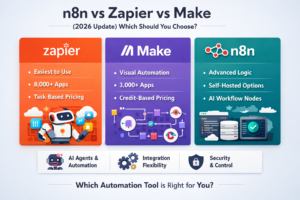
n8n vs Zapier vs Make
| Quick comparison table (2026) | |||
| Category | Zapier | Make | n8n |
| Best for | Quick wins, non-technical teams | Visual “power user” automation | Technical teams, control, complex workflows |
| App ecosystem | 8,000+ apps | 3,000+ apps | 400+ pre-built integrations + connect broadly via HTTP/custom |
| Pricing meter | Tasks | Credits/operations | Workflow executions |
| AI direction | Agents + AI workflows | AI Agents + scenarios as tools | Built-in AI nodes + agent workflows |
| Hosting | Cloud only (mostly) | Cloud | Cloud or self-host/on-prem |
| Complexity handling | Good, but can get expensive | Strong for branching & mapping | Excellent for logic, code, data control |
Sources: Zapier app count , Make integrations , n8n integrations/features , pricing models
1) Ease of use: who gets productive fastest?
Zapier (fastest for beginners)
Zapier is still the quickest way to go from “idea” → “working automation,” especially if you don’t want to think about servers, logs, errors, or deployment. Its UX is built for speed, and its library of integrations is huge.
Pick Zapier if: your team wants simple automations today (lead capture, notifications, CRM updates, email follow-ups) and you value convenience over deep customization.
Make (best visual builder for power users)
Make’s visual “scenario” canvas makes it easy to understand complex flows: routers, filters, iterators, data mapping—everything looks like a flowchart. It’s often the sweet spot when Zapier feels too limited, but full developer tools feel too heavy.
Pick Make if: you want visually-designed automation with stronger data handling (transforming arrays, mapping fields, multi-step orchestration).
n8n (best when logic gets serious)
n8n gives you both: a visual builder and the ability to drop into code when needed (JavaScript/Python), plus self-hosting if you want full control.
Pick n8n if: you’re building “automation as a system,” not just a few Zaps—especially when you need custom logic, complex branching, and control over where data runs.
2) Integrations: which connects to what?
This is where many people decide too quickly. Instead of asking “who has more apps?”, ask:
Do I need a native integration, or can I use HTTP/API anyway?
- Zapier: connects to 8,000+ apps, which is hard to beat for mainstream tools.
- Make: supports 3,000+ apps, and also provides ways to connect to APIs.
- n8n: highlights 400+ pre-configured integrations and strongly supports building custom connections via HTTP request and code.
Real-world rule:
- If you mostly use popular SaaS apps (Google Workspace, HubSpot, Slack, Notion, Shopify), Zapier often wins on speed.
- If you deal with lots of data formatting and multi-step flows, Make feels smoother.
- If you need custom APIs, internal tools, databases, or on-prem systems, n8n shines.
3) Pricing in 2026: tasks vs credits vs executions (this matters a lot)
Automation costs usually explode because people don’t understand what gets counted.
Zapier = “tasks”
Zapier counts tasks (each successful action). Even the free plan mentions task limits (example: 100 tasks/month on Free).
Watch out for: frequent automations (e.g., “every new row” + “every email”) can burn tasks quickly.
Make = “credits/operations”
Make counts credits (each module action is typically counted as one credit/operation).
Watch out for: scenarios with many modules running per item can consume credits fast.
n8n Cloud = “workflow executions”
n8n states its pricing is based on monthly workflow executions (and includes all integrations).
Big advantage: if your workflows are complex (many steps inside one run), execution-based pricing can be easier to predict than step-based pricing.
The hidden pricing truth
If you self-host n8n, the “license cost” isn’t the main cost—your infrastructure + security + maintenance is. n8n’s own hosting docs call out that self-hosting requires server/container setup and securing the app.
4) AI in 2026: agents are the new battleground
In 2026, you’re not just choosing “automation.” You’re choosing who builds better AI-assisted workflows.
Zapier Agents
Zapier is pushing “Agents” that can work across its ecosystem of apps.
Make AI Agents
Make now has “AI Agents,” letting scenarios act as tools for an agent, with official docs updated in early 2026.
n8n AI nodes + agent workflows
n8n highlights built-in AI nodes and positions itself as flexible for multi-step AI agents with strong control over model and data flow.
Practical takeaway:
- If you want “AI + automation” quickly, Zapier is often easiest.
- If you want visual orchestration with agent tools, Make is strong.
- If you want control + self-host + advanced agent workflows, n8n is built for that.
5) Security & control: the 2026 reality check
If you’re handling sensitive data (client info, financial docs, internal tools), hosting and security become a deciding factor.
Zapier / Make (managed cloud convenience)
They run as managed services—less operational work for you, but less control over where data runs.
n8n (control comes with responsibility)
n8n supports self-hosting, which can be a huge win for data control—but you must patch, secure, and restrict access. n8n’s docs explicitly warn self-hosting needs technical knowledge and security practices.
And importantly: recently reported n8n vulnerabilities show why patching and limiting exposure matter for self-hosted instances.
Safe self-host basics (quick checklist):
- Don’t expose n8n publicly without proper protection
- Use strong auth + least privilege (who can edit workflows matters)
- Keep versions updated and monitor security advisories
- Separate environments (dev/staging/prod) when possible
6) So… which one should you choose?
Choose Zapier if you are:
- A solo founder, marketer, recruiter, or small team
- Using popular SaaS apps
- Prioritizing speed and simplicity over deep customization
Choose Make if you are:
- Building multi-step scenarios with heavy data mapping
- Wanting powerful automation without writing code
- Looking for a visual workflow experience
Choose n8n if you are:
- Building serious workflows (branching, retries, logic, custom APIs)
- Wanting on-prem/self-host control
- Needing strong AI workflow flexibility + code when required
My recommendation for most “growing” businesses in 2026
If you’re serious about scaling automation (and especially AI workflows), the long-term pattern looks like this:
- Start with Zapier for quick wins (speed + integrations).
- Move to Make when workflows become visual/complex and data-heavy.
- Standardize on n8n when you need control, customization, and predictable execution at scale—especially if you want self-hosting options.
CTA section (for your Ready n8n website)
Want to skip the “blank canvas” problem?
On your site, add a short CTA like this (and link the bold text to your Templates page):
Explore our Ready n8n workflow templates to launch faster—pre-built automations for lead capture, Google Sheets reporting, email workflows, AI content pipelines, and business operations. Customize in minutes and deploy with confidence.