
n8n Tips for Beginners to Pros (Simple, Practical, Powerful)
If you’re new to automation, n8n can feel confusing at first—too many nodes, too many options, and no clear starting point. The good news is: once you understand a few core habits, n8n becomes one of the fastest tools for building real automations without heavy coding.
At ReadyN8NTemplates.com, we share ready-to-use workflow templates and learning guides so you can build faster, avoid errors, and automate like a pro.
Beginner Tips (Start the right way)
n8n Tips for Beginners to Pros (Simple, Practical, Powerful)
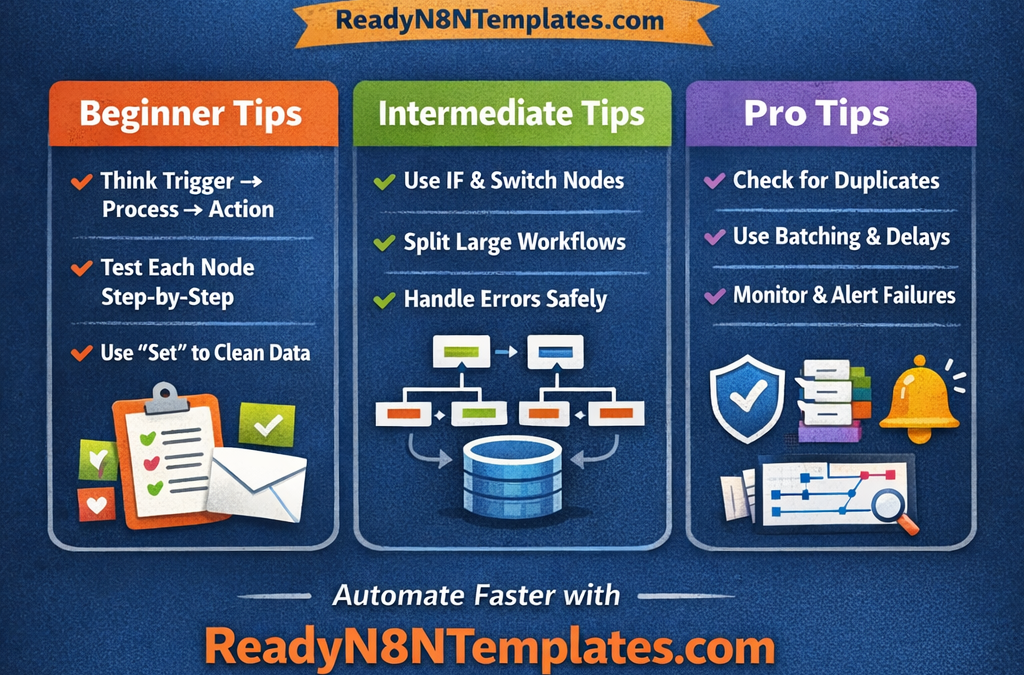
1) Think in 3 steps: Trigger → Process → Action
Every workflow is basically: something happens, you clean/transform data, then you send it somewhere.
2) Test node-by-node
Run one node, check the output, then continue. This saves hours of debugging later.
3) Use the “Set” node to keep data clean
Before sending data to Google Sheets, email tools, CRMs, etc., use Set to rename fields and keep only what you need.
4) Name your nodes clearly
Example: “Get Leads”, “Clean Data”, “Send Email”, “Save Logs”. Clean naming = faster editing.
Intermediate Tips (Build real automations)
5) Use IF and Switch smartly
IF is great for yes/no logic. Switch is perfect when you have many conditions (country, status, tags, etc.).
6) Split large workflows
Instead of one huge workflow, create smaller ones and call them using Execute Workflow. Easier to maintain and scale.
7) Handle errors early
Turn on “Continue On Fail” only when it makes sense, and always save error data somewhere (Sheet/DB) so you don’t lose leads/orders.
Pro Tips (Speed + stability)
8) Prevent duplicates (very important!)
Before creating a new contact/order/lead, first search: “Does it already exist?” This keeps your systems clean.
9) Use batching and delays
APIs often block you if you send too many requests too fast. Process items in batches and add small delays.
10) Build a monitoring mindset
Set alerts (email/Telegram) if a workflow fails, and log every run (date, status, response) for quick troubleshooting.